

How Do I Log into powerschool?
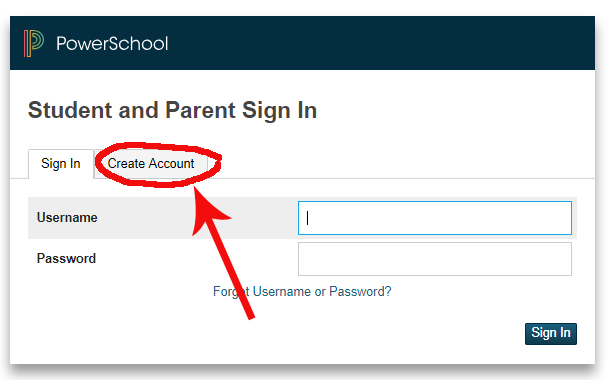
1) Visit the following link: https://albertasdaedu.powerschool.com/public/home.html and enter your username and password. If you don’t have an account yet, visit the Create Account tab and then click on “Create Account”!
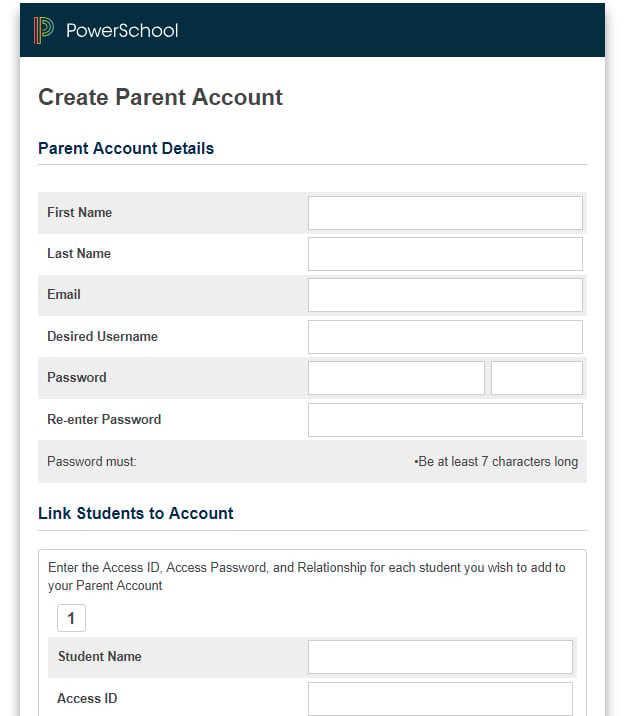
2) Fill in your parent information and create your username and password.
3) Under the “Link Students to Account” section, you can add all of your children who attend an Alberta Conference school. You will need your students Access ID and Password. (This information will be sent to you at the beginning of the school year. If you have lost this information or have not received it you may also email the office to request your Access ID and Password.) office@chcs.cc
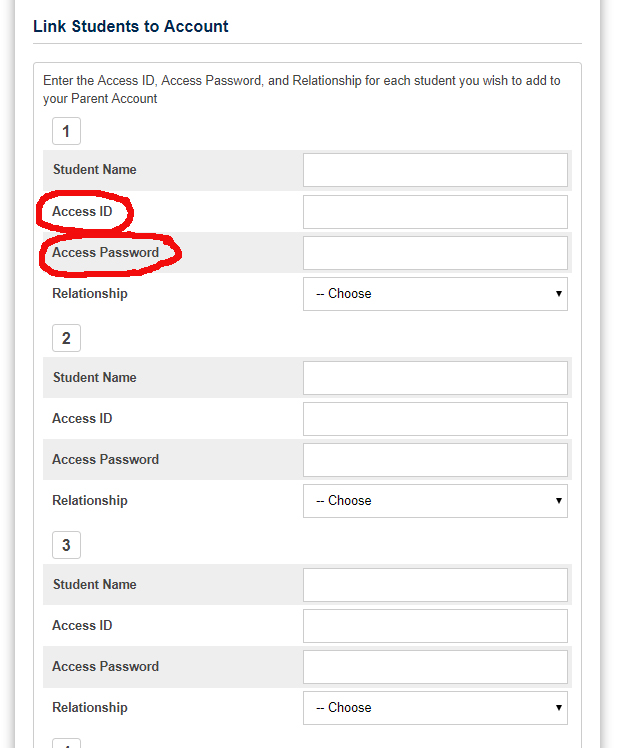
4) Choose your relationship to your children. You can also share your child’s Access ID and Password with other family members that want to also help pay for student fees online.
5) Click the “Enter” button at the bottom and you are done!